Symptom Checker
Select your symptoms below to identify possible causes and recommended diagnostic tests.
* This tool provides informational content only and is not a substitute for professional medical advice. Always consult your doctor.
AI-Powered Symptom Checker: Get Reliable Health Insights in Minutes
We’ve all been there. Something feels off, maybe a persistent headache, an odd pain in your side, or a cough that won’t quit. So you do what most people do: you start Googling. Twenty minutes later, you’re convinced you have three different diseases and you’re more anxious than when you started.
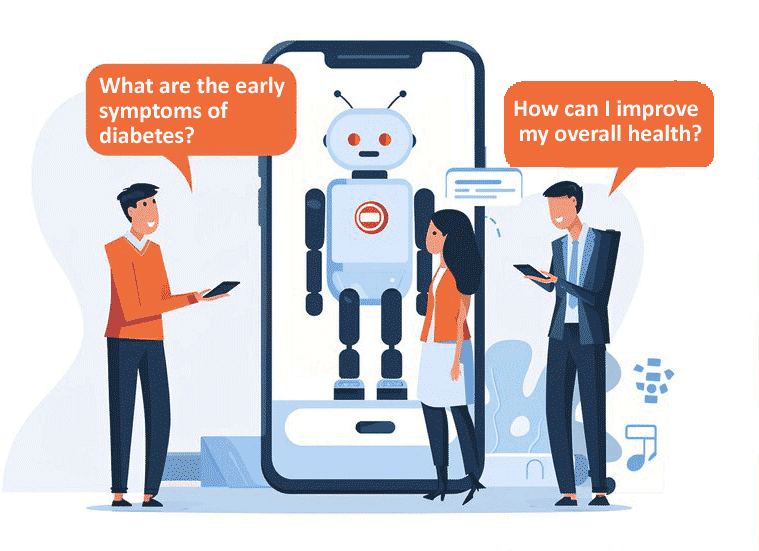
That’s exactly the problem an AI-powered symptom checker is designed to solve. Instead of sifting through scattered, often contradictory information across dozens of websites, this kind of tool takes your specific inputs, like what you’re feeling, how long it’s been going on, and how severe it is, and gives you organized, medically informed guidance in one place.
Whether you’re dealing with mild discomfort or something that’s been lingering for days, a symptom checker helps you figure out whether to monitor things at home or go see a doctor. It won’t replace a physician, but it puts better information in your hands when you need it most.
What Exactly Is an AI-Powered Symptom Checker?
An AI-powered symptom checker is a digital health assessment tool that analyzes the symptoms you report and generates possible explanations along with suggested next steps. Think of it as a preliminary triage system that sits between “I should probably ignore this” and “I need to call my doctor right now.”
Here’s what it can help you do:
- Identify potential causes behind what you’re experiencing
- Get a sense of how urgent the situation might be
- Decide whether it’s time to book an appointment
- Organize your symptoms clearly before a medical visit
One thing to be clear about: this tool does not diagnose you. It supports better health awareness and helps you make more informed decisions about your next move.
Key Features That Make It Useful
Intelligent Symptom Mapping
You enter your main symptom, and the tool connects it with related secondary symptoms to improve the accuracy of its analysis. For example, entering “headache” alone gives broad results. But pairing it with “light sensitivity” and “nausea” narrows things down considerably.
Duration and Severity Analysis
How long you’ve had a symptom and how intense it feels both matter. The tool uses this information to help prioritize urgency. A mild cough for two days is very different from a severe cough lasting two weeks.
Age and Gender Personalization
Medical relevance varies by demographic. A chest pain in a 25-year-old woman and a 60-year-old man can point to very different possibilities. The tool adjusts its suggestions based on these factors.
Multi-Symptom Entry
Real health issues rarely show up as a single symptom. You can input combinations like “fever + cough + body aches” for more refined, realistic results.
Risk-Level Guidance
Based on your inputs, the tool categorizes its recommendations into clear action levels:
- Self-care and home monitoring
- Routine doctor consultation
- Urgent medical attention needed
How the Symptom Checker Works Behind the Scenes
An AI-powered symptom checker runs on structured decision trees and symptom-correlation logic. When you submit your information, the system goes through several steps:
- It processes the symptom you selected along with your related inputs.
- It matches those inputs against a curated medical knowledge base.
- It applies weighted scoring to determine the most likely causes.
- It generates recommendations based on urgency thresholds.
More advanced versions use machine learning models trained on large sets of anonymized health data, which allows the system to continuously improve its accuracy over time.
How to Use It: A Simple Walkthrough
Using an AI-powered symptom checker is straightforward. Here’s how a typical session looks.
Step 1: Pick your primary symptom. Choose the main issue bothering you from the available list.
Step 2: Indicate duration. Specify whether it started today, a few days ago, or has been ongoing for weeks.
Step 3: Rate the severity. Select whether the symptom feels mild, moderate, or severe.
Step 4: Enter your age group and gender. These details refine the medical relevance of your results.
Step 5: Add any additional symptoms. The more context you give, the better the analysis.
Step 6: Click “Check Cause.” The tool processes everything and delivers possible explanations ranked by likelihood.
How to Read Your Results
After the tool processes your inputs, you’ll typically see:
- Possible medical causes ranked from most to least likely
- A risk or urgency indicator
- Recommended next steps based on the severity of findings
Lower-risk results generally suggest monitoring at home, staying hydrated, resting, or watching for changes. Higher-risk indicators will recommend scheduling a doctor visit or, in some cases, seeking immediate medical attention.
Keep in mind that these results are informational guidance. They are not a confirmed medical diagnosis. If something feels seriously wrong, trust your instincts and contact a healthcare provider.
Why Gamers and High-Performance Users Should Pay Attention
This might seem like an unusual audience for a health tool, but hear me out. Gamers, streamers, and anyone who spends extended hours at a screen tend to push through early symptoms without a second thought. A little eye strain here, a stiff wrist there, and it all gets brushed off until it becomes a real problem.
An AI-powered symptom checker can help catch these issues early:
- Eye strain and tension headaches from prolonged screen time
- Repetitive strain injuries in wrists, hands, or shoulders
- Fatigue linked to poor sleep habits
- Signs of dehydration from long, uninterrupted sessions
- Stress-related symptoms that build gradually
A quick self-assessment takes a few minutes and can prevent long-term performance decline. Taking care of your body is part of performing at your best, whether that’s in a game or at work.
Troubleshooting Common Issues
Results feel too general? Try adding more specific symptoms. The tool performs better with more detail.
Tool not loading? Clear your browser cache or temporarily disable any script-blocking extensions.
No results showing up? Double-check that you’ve selected all required fields, especially the primary symptom.
Worried about accuracy? That’s a healthy instinct. Use the results as a starting point and confirm any concerns with a healthcare professional.
Frequently Asked Questions
How accurate is an online symptom checker?
It provides structured guidance based on symptom patterns, but it cannot replace a professional medical evaluation. Think of it as a well-organized first step, not a final answer.
Can a symptom checker actually diagnose a disease?
No. It suggests possible causes and next steps. It does not provide confirmed diagnoses. Only a licensed healthcare provider can do that.
When should I skip the tool and go straight to emergency care?
If you experience severe chest pain, difficulty breathing, sudden confusion, signs of stroke, or uncontrolled bleeding, skip the symptom checker and call emergency services immediately.
Is my personal data stored or shared?
Reputable symptom checkers follow strict privacy standards and do not store or share personal data without your explicit consent. Always check the tool’s privacy policy if you’re unsure.
Can I use a symptom checker for chronic conditions?
It can offer insights when you notice new or changing symptoms, but managing chronic conditions requires ongoing medical supervision. The tool works best as a supplement, not a substitute.
Does adding more symptoms improve results?
Yes. The more relevant detail you provide, the more precise and useful the analysis becomes. Don’t hold back on secondary symptoms if they seem related.